Last updated
Register Mobile Number with Iqama: Get the SIM in Your Name, Update Absher and Fix Missing OTPs
Register mobile number with iqama in two steps: the SIM must be issued under your own iqama number (fingerprint-verified at the store, or confirmed through Nafath for a self-activation SIM), and that number must be saved on Absher through Digital ID Management (the Change Mobile Number service). If either link is missing, Absher, bank and government OTP codes stop arriving. Fix the broken link and the codes come back.
Our page on checking SIM cards on your iqama covers finding and removing numbers you do not recognise. This page is the other side: making sure the number you actually use is yours on paper and linked everywhere it needs to be.
Why OTPs stop arriving: six common causes
An OTP (one-time password) is sent to whatever number the service has on file for you. When the codes stop, one of these is almost always the reason.
| Cause | Typical sign | Fix |
|---|---|---|
| Absher still has your old number | Codes go to a SIM you no longer have | Change the number at a kiosk or activation office (below) |
| SIM is not in your name | Absher refuses the new number | Get a SIM on your own iqama, or transfer ownership |
| Line on your employer's commercial registration | Same as above; company "owns" the line | Use a personal SIM for Absher and banking |
| Iqama expired, line suspended | No calls, texts or balance codes | Renew the iqama, then ask the operator to restore the line |
| Prepaid SIM lapsed | Number dead after months without recharging | Recharge in time; an expired number may be reissued |
| Abroad without roaming | Codes arrive once you land back in KSA | Activate roaming before you travel |
The first three are about registration, which is the focus of this guide. The last three are about keeping the line alive, which we cover at the end.
Step 1: get a SIM issued under your own iqama
Every SIM in Saudi Arabia is tied to an ID number and checked by fingerprint. The telecom regulator (then CITC, now the Communications, Space and Technology Commission, CST) told all operators to start fingerprint verification of mobile subscribers from 21 January 2016. The fingerprint devices connect to the National Information Center, so the operator can confirm the person in front of them matches the ID. Lines that were not verified by the 2016 deadlines were suspended and then cut off.
Today you have two ways to get a SIM in your name:
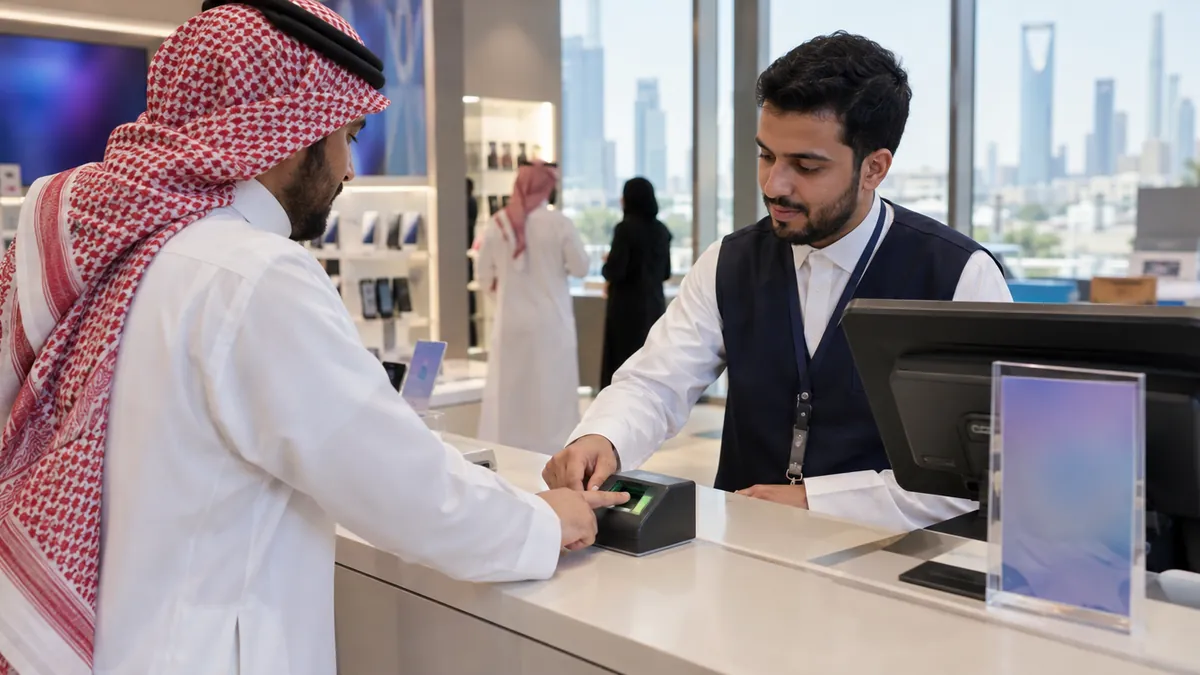
- At a store or authorised dealer. Take your original iqama. The staff scan your fingerprint and register the SIM to your iqama number. Check the receipt or the operator app afterwards to confirm the line shows under your ID.
- Self-activation SIM. stc, for example, sells SIMs you activate yourself in the mystc app. stc says authentication is done through Nafath during activation (its FAQ also mentions Absher). If you have not set Nafath up, see our Nafath app guide.
Give accurate ID details. The stc mobile terms warn that wrong or incomplete ID data can hold up or block later processes on the line, such as moving it.
Step 2: update the number on Absher
Absher is the account most OTPs depend on, because Nafath and many other government services use the identity you set up there. Absher states two conditions for changing your number: you need an active Absher account, and the new number must be issued under your own ID number by the mobile operator. If you do not have an account yet, start with our Absher registration guide.
If you can still log in
- Open the Absher app and log in.
- Go to Digital ID Management.
- Choose the option to change your mobile number and enter the new number.
- Complete the verification the app asks for, then check that the new number shows in your profile.
If you cannot receive codes on the old number
Use an in-person channel that checks your identity directly. Absher lists its self-service kiosks across the Kingdom (select Digital ID Management, then the service you need) and activation officers at passports (Jawazat) and civil affairs offices. Take your iqama and the new SIM in your phone. Find a nearby machine with our Absher kiosk locations page.
Step 3: link the new number everywhere else
Changing the number on Absher does not change it everywhere. Each bank, app and platform keeps its own copy. After an Absher update, work through the rest:
- Your bank. Banks send transfer and card OTPs to the number in their own records. Update it in the bank app, at an ATM menu if your bank offers one, or at a branch.
- Nafath. Check that the app is still signed in on your current phone.
- Qiwa and GOSI. Log in and check the contact number in your profile. Our Qiwa login guide covers the account side.
- Your employer's HR. They often need the number for payroll and government records.
Transferring a number into your name
Maybe you have used the same number for years but it was bought on a friend's or an old sponsor's iqama. You can keep the number by moving ownership to yourself instead of starting over.
- The current owner starts the transfer. stc lists "transferring ownership of one of your numbers to another customer" as a feature of the mystc app. With other operators, or if the app route fails, both of you visit a branch with your IDs.
- You confirm with your own identity. The line will now be registered to your iqama, so be ready for an identity check on your side, such as a fingerprint at the branch or Nafath in the app.
- Clear anything tied to the line first. stc's terms say a device contract on the number must be cancelled before ownership moves, with any money owed paid by the current customer.
- Use up the credit. stc's terms say the balance and services on a prepaid SIM are cancelled when ownership is transferred.
- Update Absher afterwards. Once the line shows under your ID, follow Step 2.
If the old owner has already left Saudi Arabia, the operator may suspend the line as soon as it learns of the final departure, which can lose you the number. Do the transfer before they fly.
Keep the link working after it is set up
Registration is not a one-time job. These are the events that quietly break it.
Iqama renewal. stc's terms allow a line to be suspended within 3 days of the company learning that the holder's ID has expired. Your iqama number does not change on renewal, but a lapse can still cut the line and with it every OTP. Keep an eye on the date with our iqama expiry check, and if you pay your own renewal costs, estimate them with the iqama fees calculator.
Prepaid validity. Under stc's terms, a prepaid SIM stays valid for 180 days from your last paid activity. Let it lapse and the number can be given to another customer, who would then receive any codes still pointed at it. A small recharge every few months prevents this.
Travel. Turn on roaming before you leave if you expect bank or Absher codes abroad. On a long trip, check that your prepaid line will not expire while you are away.
Leaving for good. Before your final exit, move any accounts you still need to a number that will stay active, then cancel your Saudi lines. Our final exit visa guide lists the other steps.
Frequently asked questions
How do I register my mobile number with my iqama?
First make sure the SIM is issued under your own iqama number. You do this at the operator store with fingerprint verification, or with a self-activation SIM confirmed through Nafath or Absher. Then add or change that number on Absher through Digital ID Management in the Absher app, at a self-service kiosk, or with an activation officer at a passports or civil affairs office. Absher only accepts a number issued under your ID.
Why am I not receiving the Absher OTP?
The most common reasons are that the number saved on Absher is old, the SIM is registered to someone else or to your company, the line was suspended because your iqama expired, the prepaid SIM lapsed, or you are abroad without roaming. Check that the number on Absher is your current one and that the SIM is in your name, then fix whichever link is broken.
Can I use a friend or company SIM for Absher?
No. Absher lists as a condition that the new mobile number must be issued under the ID holder's own ID number by the mobile service provider. A SIM in a friend's name, or a line registered to your employer's commercial registration, will be refused. It also leaves you exposed, because the person the SIM is registered to controls it and can cancel or replace it at any time.
How do I change my mobile number on Absher without the old number?
If you cannot receive codes on the old number, use a channel that checks your identity in person. Absher lists its self-service kiosks and the activation officers at passports and civil affairs offices for changing a mobile number. Bring your iqama and the new SIM, which must be in your name. Absher also says this in-person update is only available inside the Kingdom.
Do I need fingerprints to get a SIM card in Saudi Arabia?
Yes, identity verification by fingerprint has been required for SIM cards since 2016. The telecom regulator, then called CITC and now CST, told all operators to verify subscribers by fingerprint from January 2016, linked to the National Information Center. Today you give your fingerprint at the store, or confirm your identity through Nafath or Absher when you activate a self-activation SIM in the operator app.
How do I transfer a mobile number into my name?
The current owner starts an ownership transfer with the operator, and you confirm with your own ID. stc lists ownership transfer as a feature of the mystc app; otherwise, both of you can go to a branch. Expect prepaid credit on the line to be cancelled, since stc terms say balance and services are lost on an ownership transfer. Any device instalment contract on the number must be closed first.
General information only, not legal advice. We are not affiliated with any Saudi government authority.