Last updated
Mobily Balance Check: Balance Codes, Recharge Codes and What to Do When a Code Fails

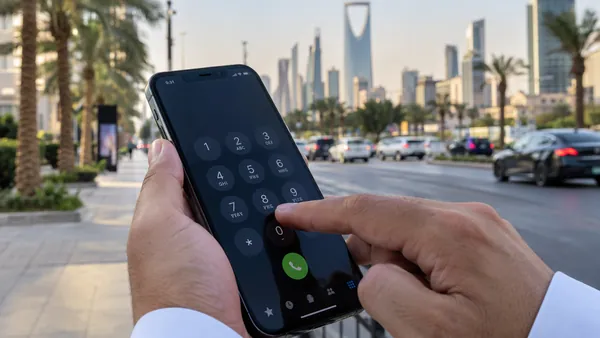
For a Mobily balance check, dial *1411*1# and press call, or text 1 to 1411. That shows the credit on your line. For the data and minutes left in your package, Mobily support lists *1411#, and the Mobily app shows both at once. If a code returns an error, the cause is usually the format, the SIM slot or the signal, not your balance.
We split the codes below into two groups: the ones Mobily prints on its current product pages, and older ones from Mobily's own support community. Then we go through the errors people actually see and how to clear each one.
Mobily balance codes and service codes
Codes starting with * and ending with # are dialled and sent with the call button. Numbers like 1411 are text message destinations.
| What you want | Code or message | Source |
|---|---|---|
| Check your balance | *1411*1# | Mobily product pages |
| Check your balance by text | Text 1 to 1411 | Mobily product pages |
| Package benefits (data, minutes) | *1411# | Mobily support community |
| Recharge with a card | *1400*card number# | Mobily product pages |
| Recharge by voice menu | Call 1400 | Mobily product pages |
| Recharge by voice menu from any line | Call 1100 (Mobily) or 0560101100 (other operators) | Mobily recharge page |
| Know your own number | *222# | Mobily product pages |
| Mobily menu | *1100# | Mobily support community |
| Transfer credit to another line | *123# | Mobily support community |
| Ask someone to send you credit | *122# | Mobily support community |
| Check international benefits | *221# | Mobily support community |
| Customer service | Call 1100 | Mobily |
What is the difference between *1411# and *1411*1#?
*1411# opens your package benefits: the data, minutes and texts still left in the plan you bought. *1411*1# is the shorter route Mobily gives on its product pages for your balance. If you only remember one, start with *1411#, since Mobily lists it for both prepaid and postpaid lines.
How do I transfer or request credit on Mobily?
Dial *123# to send credit from your line to another Mobily number, and *122# to ask someone to send credit to you. Both open a short on-screen menu where you enter the other number and the amount. Mobily's support guide also lists *405# for an extra 5 SAR of credit on prepaid lines. Read the terms in the reply before you accept, because extra credit of this kind is usually recovered from your next recharge.
Which codes work on postpaid lines?
On a postpaid line your spending goes on the monthly bill, so a credit balance means less. Mobily's support guide lists *1100# for the Mobily menu and *1411# for package benefits on postpaid. The bill amount and due date are easiest to see in the Mobily app.
How to check your Mobily data balance
Data runs out before credit for most people, so this is the check you will do most often.
- Mobily app. Log in and your plan appears on the home screen, with data, minutes and texts used and remaining. You can also recharge and add internet packages from inside the app. Mobily calls the app the best way to manage your lines.
- Dial *1411#. This does not use mobile data, so it still works when your internet allowance is already at zero and the app will not load.
- Text 1 to 1411. Mobily's support community marks the text option as postpaid only, while the product pages list it for prepaid visitor lines. If one line type does not reply, use the dial code instead.
Comparing packages because yours keeps running out? Our guide to internet packages in Saudi Arabia sets out what each operator offers.
How to recharge a Mobily line
Mobily's recharge page lists the app, the voice menu, and SADAD through your bank. Here is how each works in practice.
- Scratch card by code: dial *1400*, the card number, then #. Example format: *1400*1234xxxxxxxxx#. An older Mobily support guide shows a version with your ID or iqama number added after the card number. If the short version is refused, try that one.
- Scratch card by phone: call 1400, or 1100 from a Mobily line, and follow the voice prompts. From another operator's line, call 0560101100.
- SADAD: pay from your bank app using Mobily as the biller. This is the easiest way to top up a family member's line.
- Mobily app: pay by card inside the app.
Mobily also runs recharge promotions. At the time of writing, its Free Credit Upon Recharge page offers bonus credit when you recharge 20 SAR or more. Treat any bonus as temporary and check the page before you count on it.
What to do when a Mobily code returns an error
This is where most balance checks go wrong. The error message almost never means your balance is the problem. Match what you see to the table, then try the fix.
| What you see | Likely cause | What to do |
|---|---|---|
| "Connection problem or invalid MMI code" | Typing error, or the code went out on the wrong SIM | Select the Mobily SIM for calls, retype with no spaces, star first, hash last |
| Nothing happens, or a spinning "running USSD code" that times out | Weak signal or a network hiccup | Toggle airplane mode on and off, move near a window, try again in a few minutes |
| Code works for a friend but not for you | Prepaid and postpaid lines use different menus | Try *1411# instead of *1411*1#, or text 1 to 1411; or use the app |
| Error abroad | Codes depend on the roaming partner network | Use the Mobily app on Wi-Fi |
| Recharge card "invalid" | One digit wrong, or the card was already used | Re-enter carefully; if it still fails, keep the card and call 1100 |
| No codes work at all and calls fail | Line suspended or SIM expired | Check your iqama is valid, then visit a Mobily store with it |
Why do all my codes fail after my iqama expired?
Telecom operators can suspend a line when the holder's ID is no longer valid. stc's published terms, for example, allow suspension within 3 days of the company learning that the ID has expired. Mobily lines are tied to your iqama in the same way, so renew the iqama first, then ask Mobily to update your ID details and restore the line.
The same problem stops Absher and bank verification codes from arriving. Our guide on registering your mobile number with your iqama shows how to keep the number properly linked so those messages keep coming.
Using the Mobily app instead of codes
Codes are quick, but the app answers more questions in one place, and it does not depend on remembering formats. It is worth setting up once, especially if you manage lines for family members on your iqama.
- Download the Mobily app from the official app store for your phone. Check the publisher is Mobily before you install.
- Register or log in with your My Mobily ID. Your Mobily lines then appear in the app.
- Pick the line you want. The home screen shows your plan, renewal date, and data, minutes and texts left.
- Use the recharge option to top up, or go to Products, then Internet services, to add a data package.
If the app will not open because your data has run out, connect to Wi-Fi or fall back on *1411#. Codes work without the internet; the app does not.
A few habits that save money on Mobily
- Check before you renew. A quick *1411# before your renewal date shows whether you used the package or wasted half of it.
- Do not let a prepaid SIM go silent. Prepaid lines expire if they are not recharged or used. Operator terms generally let an expired number be reissued; stc's terms say so in writing. Recharge a small amount on lines you want to keep.
- Look at every line on your ID. The Mobily app lists them. If one is not yours, our guide to checking SIM cards on your iqama shows how to cancel it.
- Use only official channels. Mobily will not ask for your Absher password or a one-time code by phone or WhatsApp.
Have an stc line as well? The codes are completely different. Our stc balance check guide has the full list.
Frequently asked questions
What is the Mobily balance check code?
Dial *1411*1# and press call. Mobily lists this code on its current product pages for checking your balance, and you can also text 1 to 1411. To see the benefits left in your package, such as data and minutes, Mobily support lists *1411#. The Mobily app shows all of it on one screen. If a code fails, call customer service on 1100 from your Mobily line.
How do I check my Mobily data balance?
Open the Mobily app and look at your plan, which shows data, minutes and texts used and what is left. Without the app, dial *1411# for your package benefits. This works even after your data runs out because it does not use the internet. If you are on postpaid, Mobily support also lists texting 1 to 1411. Remember that riyal credit and package data are counted separately.
How do I recharge my Mobily prepaid line?
Mobily lists four ways. Use the Mobily app; call 1100 from a Mobily line, or 0560101100 from any other number, and follow the voice menu with your scratch card; pay through SADAD in your bank app; or dial *1400* followed by the recharge card number and #. You can also call 1400 and follow the instructions. Enter the card digits carefully, since one wrong digit makes the card look invalid.
Why does my Mobily code say invalid MMI code?
That message comes from your phone, not from Mobily. It usually means the code was typed in the wrong format, it went out through the wrong SIM on a dual-SIM phone, or the phone has no proper network signal. Check that the Mobily SIM is selected for calls, retype the code with no spaces, then restart the phone. If it still fails, use the Mobily app or text 1 to 1411.
How do I find my own Mobily number?
Dial *222# and press call. Mobily lists this code in the user guide for its visitor packages, and it returns your number on screen. It is handy if you have a new SIM, an eSIM you set up on a second line, or a data SIM in a router. The Mobily app also shows every line registered under your ID once you log in.
What is the Mobily customer service number?
Call 1100 from your Mobily line. Mobily also gives 0560101100 for calling its voice menu from another operator, mainly for recharging with scratch cards. If you prefer self-service, *1100# opens the Mobily menu on your screen. For problems with the SIM itself, such as ownership or an expired iqama, visit a Mobily store with your iqama, because those need identity checks.
General information only, not legal advice. We are not affiliated with any Saudi government authority.